Advertising Screens for Stores: The Complete Guide to Shelf Toppers and Gondola Screens (2026)
What an in-store advertising screen is, which screen types fit a retail floor, where to place them to influence the purchase decision, and how to manage them across a chain.
An in-store advertising screen is the only advertising channel that reaches shoppers at the exact moment of decision — while they are already standing in front of the shelf. Unlike a digital campaign trying to get them into the store, the screen works inside the store, on an audience that is already there, so its impact on basket size is immediate.
What is a point-of-sale advertising screen?
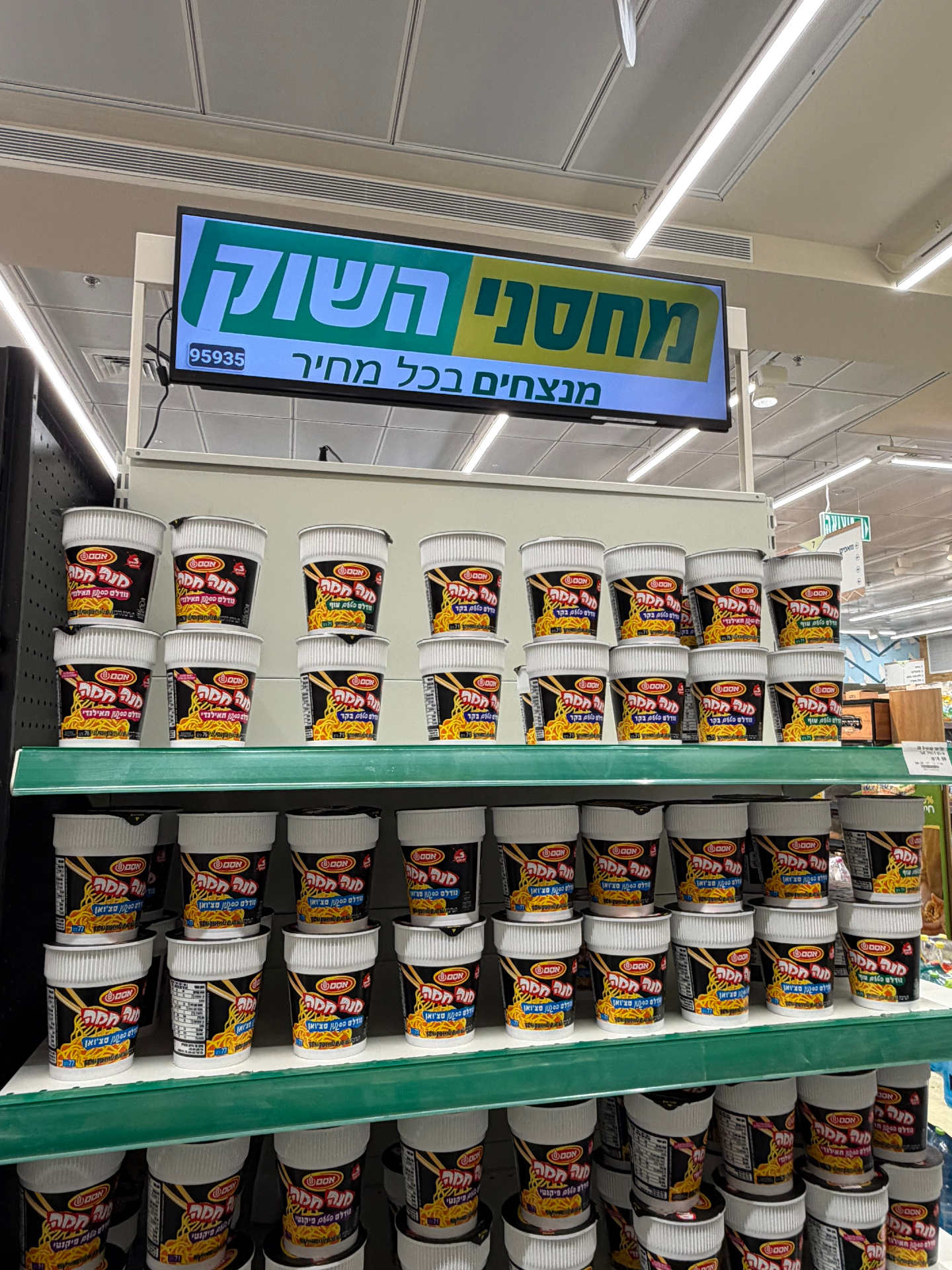
It is a digital display placed in the store that rotates promotional content: offers, brand products, launches, seasonal content or chain announcements. It is managed remotely from one system, so the message updates across every branch at once — no printing and no technician visit.
Types of in-store advertising screens
| Screen type | Typical placement | Why it works |
|---|---|---|
| Shelf topper | Above or inside the shelf | Grabs attention right at the product |
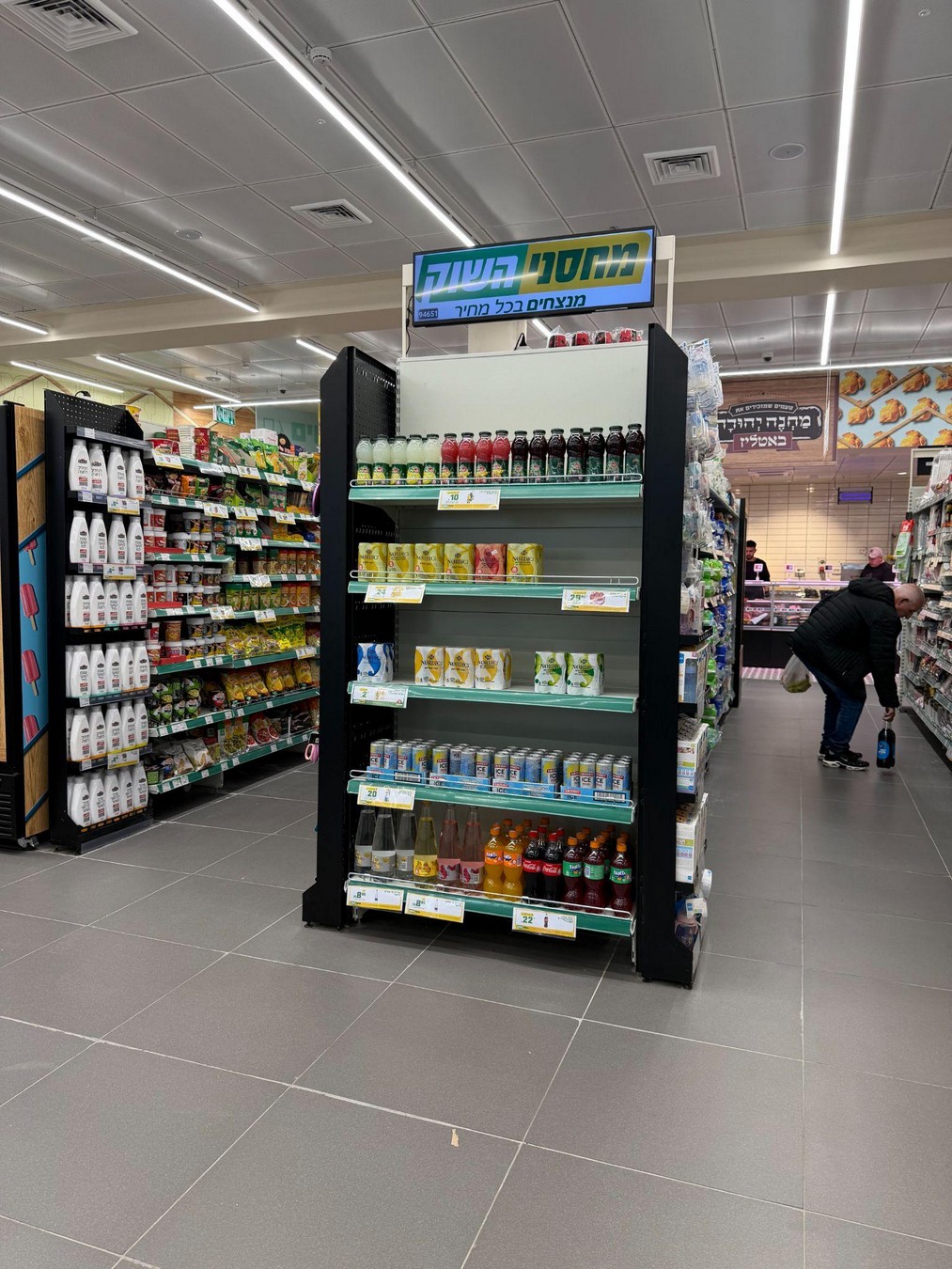
| Gondola header | End of aisle | The highest-traffic area in the store |
| Outdoor / window screen | Entrance and storefront | Pulls passers-by inside |
| Checkout screen | Payment area | Push offers and impulse purchases |
| Video wall | Lobby or central area | Brand presence and atmosphere |
Where should screens go?
- At natural stopping points — checkout, promotion shelf, waiting area.
- At or slightly above eye level, angled toward the direction of traffic.
- At aisle ends, where most shoppers pass on every visit.
- Away from direct light or windows that create glare.
- Close to the promoted product — proximity is what turns exposure into a sale.
How it works across a multi-branch chain
Screens connect to one management system. Headquarters builds a campaign, chooses the relevant branches or regions, schedules playback hours and publishes. The platform delivers content to every screen and reports back: connected, playing, or stuck.
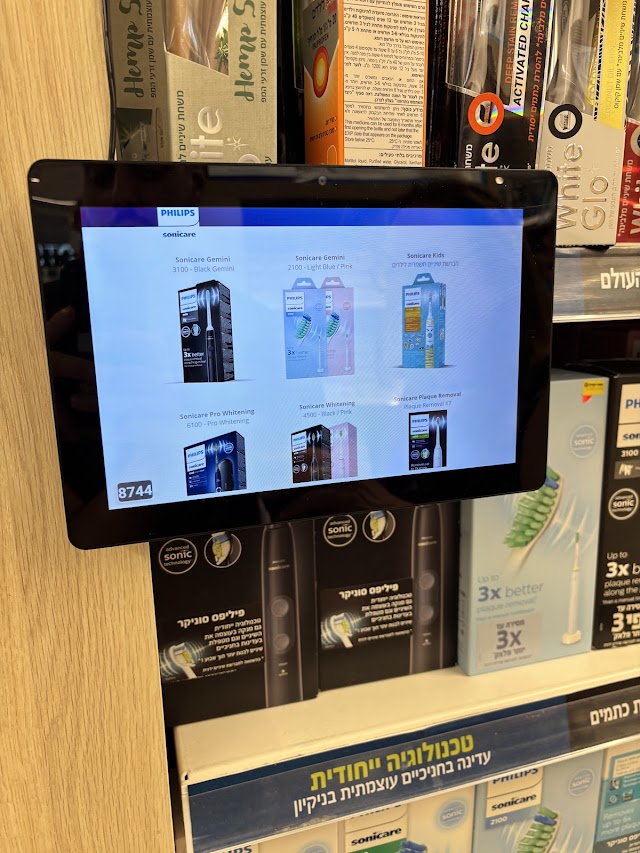
Examples from the field
GOOD PHARM — shelf toppers and gondola headers
At GOOD PHARM we installed shelf toppers, gondola headers and outdoor screens connected to the chain's management system. Headquarters updates one campaign and every branch changes together.
Pizza Hut — brand and menu screens
At Pizza Hut, screens present menus, promotions and brand content, with headquarters fully controlling the visual message in every branch.
Advertising screen or electronic shelf label?
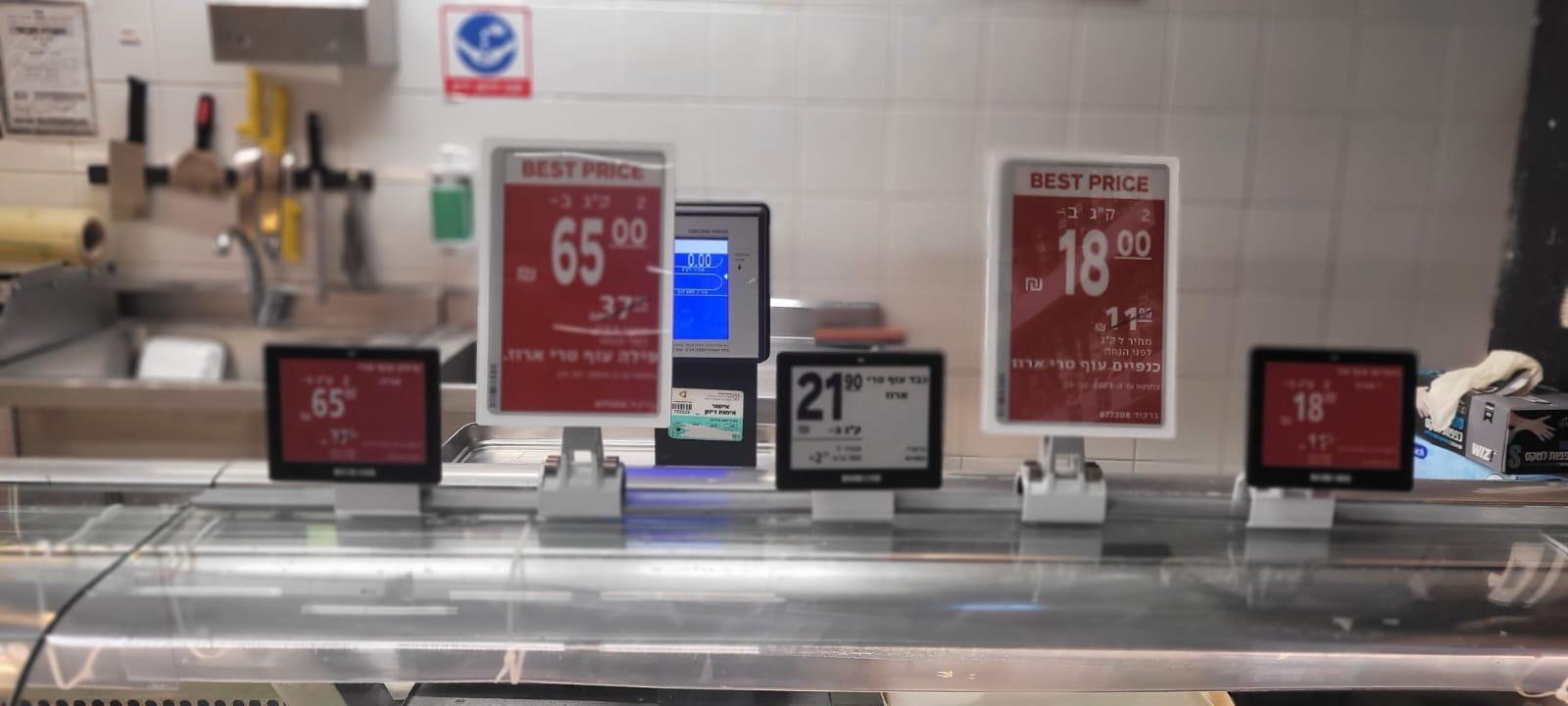
An advertising screen sells — it grabs attention and delivers a message. An electronic shelf label is about accuracy — it guarantees the shelf price matches the register. Many chains combine both: the screen announces the promotion while the label shows the correct price at the same second.
Frequently asked
Related solutions
Digital signage
Smart screens and central content management across every branch.
Electronic shelf labels
Automatic, real-time price updates on every shelf.
In-store advertising screens
Gondola heads, shelf toppers and window displays that update themselves.
Choosing a signage system
A capability table and the questions worth asking any vendor.
All solutions
Retail, clinics and shared spaces — one platform.