Digital signage for offices and meeting rooms — what actually works
Room signs, lobby screens and internal comms boards: which office signage use cases pay back, and how to connect them to your corporate calendar.
In an office, signage isn't there to sell — it's there to remove friction. Value comes from three places: room management, visitor reception and internal communications.
1. Meeting room signs
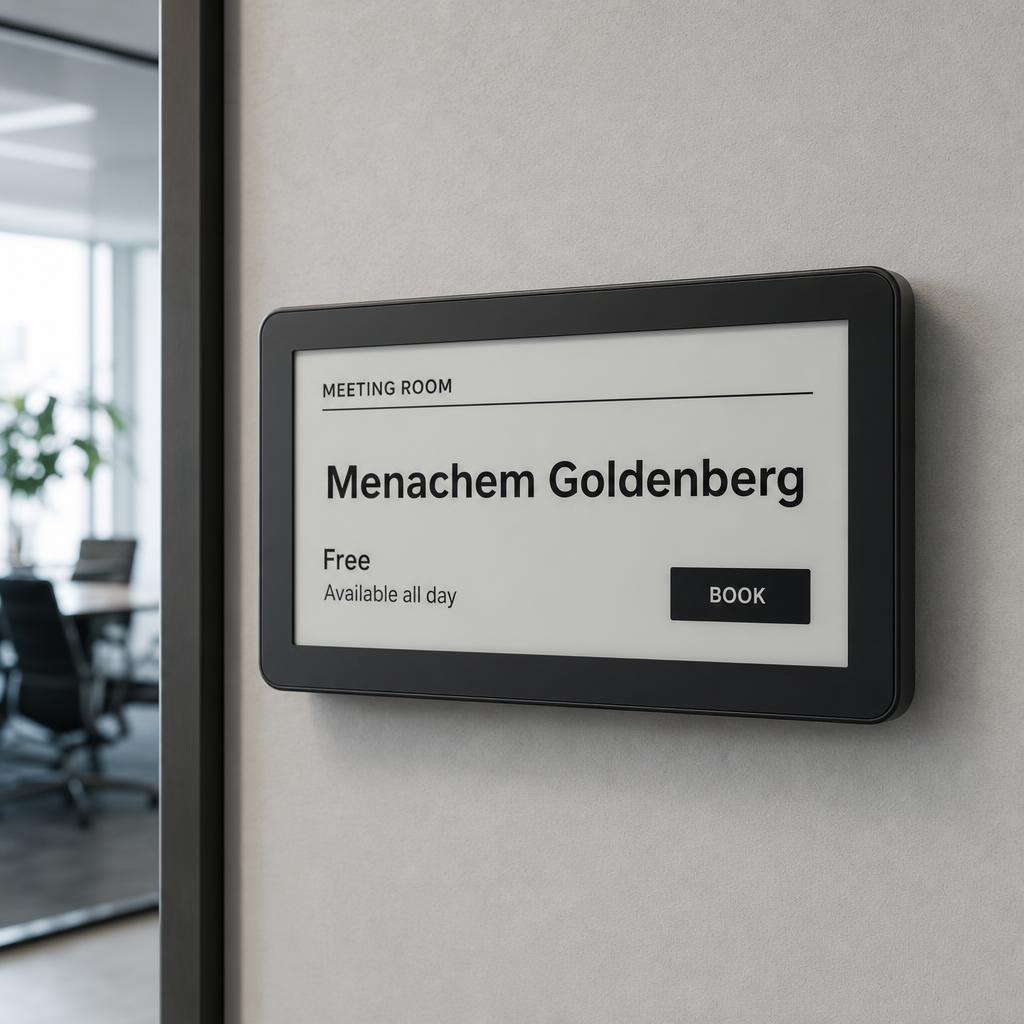
A small display outside each room, connected to Microsoft 365 or Google Workspace, shows free/busy, the current and next meeting, and allows on-the-spot booking. It kills the booked-but-empty room problem.
2. Lobby and reception screens
A lobby screen greets visitors by name, shows arrival instructions, company metrics and updates — and replaces printed safety and compliance notices on the wall.
3. Internal communications
Screens in kitchens and shared areas carry goals, wins, internal openings and emergency notices to people who never read email.
Technical requirements
- Calendar integration with read/write access to room resources.
- A corporate network with suitable IoT segmentation.
- Central management of every screen, including remote software updates.
- Locked content templates so any team can publish without breaking the design.
Frequently asked
Related solutions
Digital signage
Smart screens and central content management across every branch.
Electronic shelf labels
Automatic, real-time price updates on every shelf.
In-store advertising screens
Gondola heads, shelf toppers and window displays that update themselves.
Choosing a signage system
A capability table and the questions worth asking any vendor.
All solutions
Retail, clinics and shared spaces — one platform.